

Your markets
Open My markets. “Coming up” shows your next markets by date. “Over” shows your markets of the last 12 months.
Tap a market to change it or to list your stands.
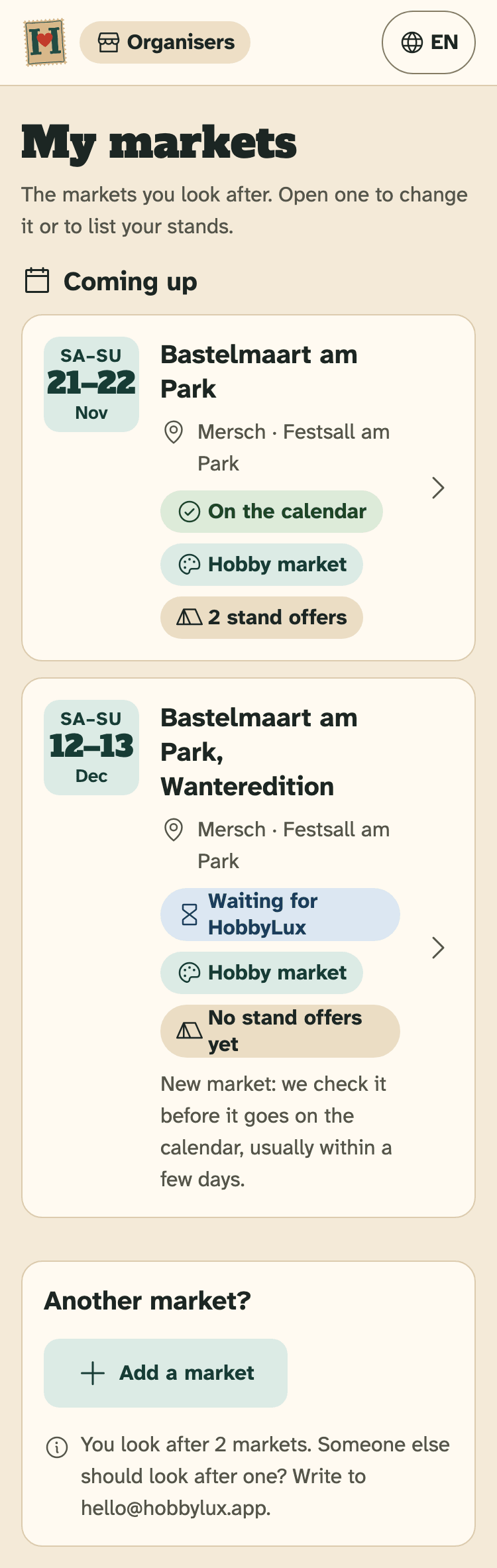
- A market: tap it to open it
- Its status, here “On the calendar”
- How many stand offers it has
- Add a market
What the badges mean
- On the calendar: visitors see the market.
- Waiting for HobbyLux: a new market. We check it before it goes on the calendar, usually within a few days.
- Not on the calendar yet: the market is in your account, but visitors do not see it yet.
- Change waiting: you asked for a change that HobbyLux checks first.
- Cancelled: visitors see “Cancelled” on your page, in the calendar and on the map.
- Moved: HobbyLux moved this market to another entry. To change it, write to hello@hobbylux.app.
- Over: the market has ended. Changes are closed.
Your market is not in the list
A market comes into your account in one of these ways:
- Your email address is the contact of a market that nobody looks after yet. Then the market is yours when you sign in.
- HobbyLux gives you the market. You get the note “You now look after …” in your inbox.
- You add a new market with the “Add your market” form, and we check it.
- You claim a market that is already on the calendar with “This is my market”, and we check it once.
Use the same email address in the form and in the portal. The form says so too: later you sign in to the organiser portal with it.
Add a new market
- In My markets, tap Add a market. Not signed in? The sign-in page has Add your market.
- The form opens on hobbylux.app. Give the name, the type, the place on the map, and each day with its hours.
- Add the organiser, your name and your email. Tick the box and tap Next: get the code by email.
- Type the 6-digit code from the email and tap Confirm and send the market.
- We check the market, usually within a few days. Then you get an email with the link to your market page.
Nothing is public before our check. Your name and your email are never shown.
Claim a market that is already listed
- Start the “Add your market” form and fill in the place and the days.
- If a listed market is within 300 m on the same days, the form says “This market is already on HobbyLux”.
- Tap This is my market, then give your name and your email.
- Type the code from the email and tap Confirm and send the claim.
- We check once, for example on the commune or club page, usually within a few days. Then you get an email, and you change the market yourself in the organiser portal.
One market has one organiser on HobbyLux. If the form says “This market already has an organiser”, ask your team: they change the market in the organiser portal. A mistake? Write to hello@hobbylux.app.
Someone else runs the market
Someone else should look after one of your markets, or a market in your list is not yours? Write to hello@hobbylux.app and we sort it out.
Still stuck? Write to hello@hobbylux.app