

Choose how makers pay
- Open My markets and tap your market.
- Go to “How makers pay” and pick one of the two cards.
- Tap Save. Every new Yes uses your choice.
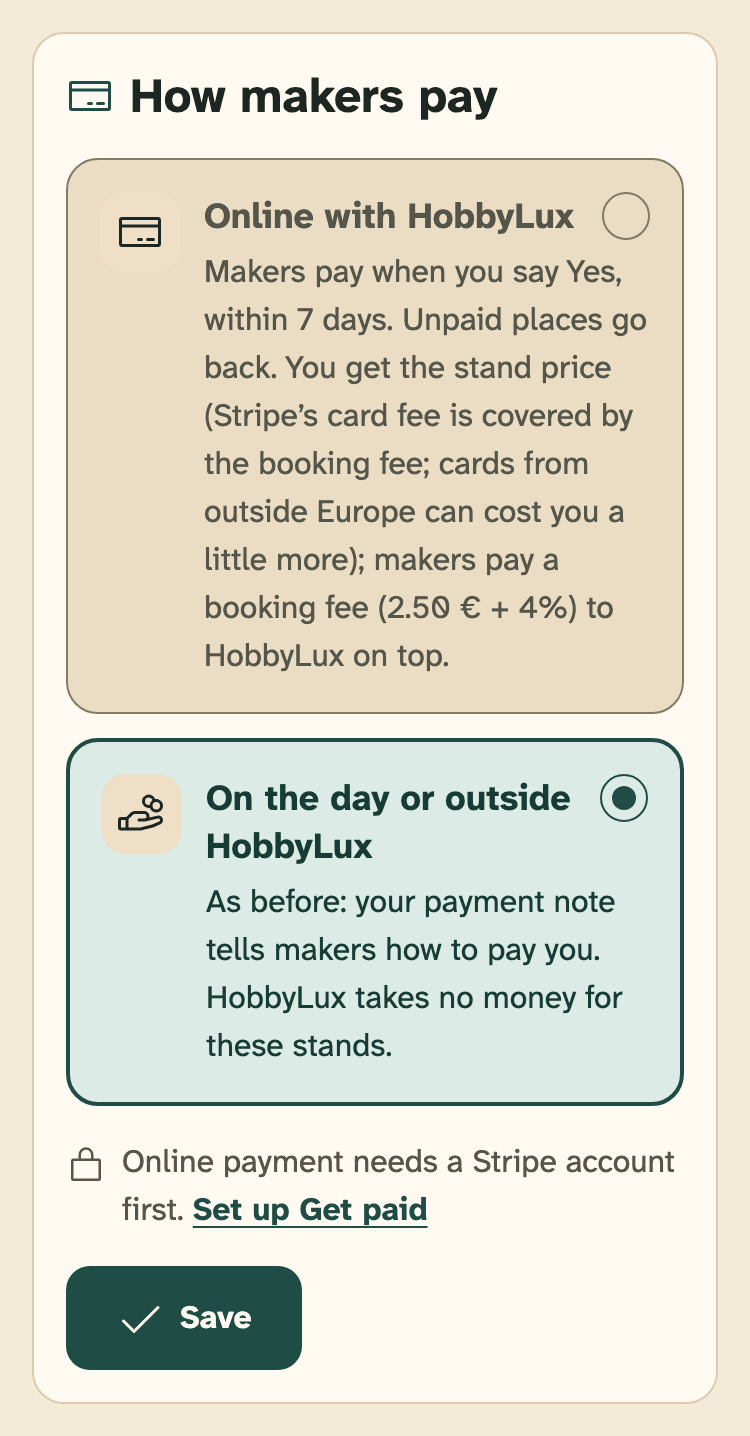
- “How makers pay” on your market page
- Online with HobbyLux: needs “Get paid online” first
- Save
Online with HobbyLux
When you say Yes, the maker has 7 days to pay by card, or less when the market is close. You get the stand price. The maker pays a booking fee to HobbyLux on top. Stripe pays your money out once a week.
What happens to a request after you answer:
Online payment needs a Stripe account first. See Get paid: connect Stripe.
Deadline, reminder and unpaid places: see Payments.
On the day or outside HobbyLux
Every market starts with this choice. Makers pay you the way your payment note says: cash on the day, a bank transfer, or what you agreed. HobbyLux takes no money for these stands.
Offers with “Price on request” are always paid on the day or outside HobbyLux, also on an online market.
Your payment note
The payment note tells makers how to pay you, for example cash on the day or your bank details. Makers you accept get it with your Yes. It is never on your market page.
- On your market page, go to “Payment note”.
- Write how makers pay you in the field “How do makers pay you?”. Max 500 characters. We do not translate it.
- Tap Save the payment note.
With online payment, makers see this note only for offers with “Price on request”. A Yes is also paid on the day when your Stripe account is not ready or the market is too close for online payment. Then your payment note goes with the Yes, so keep it up to date.
Change your choice later
From On the day to Online: works at once, for new Yes answers only. Answers you already gave keep their way of paying.
From Online back to On the day: possible once every maker with a Yes has paid, or their deadline has passed. Until then the card says how many makers still have to pay.
Still stuck? Write to hello@hobbylux.app