

The amount on your Yes
When you pick Yes, a stand on a market with online payment, the field Amount the maker pays you (€) appears. It holds the stand price + power, from your offer. Change it if you agreed on something else.
Under the field you see what the maker pays: the stand + the booking fee to HobbyLux = the total. You get the stand amount. 0 € means a free stand: nothing to pay online.
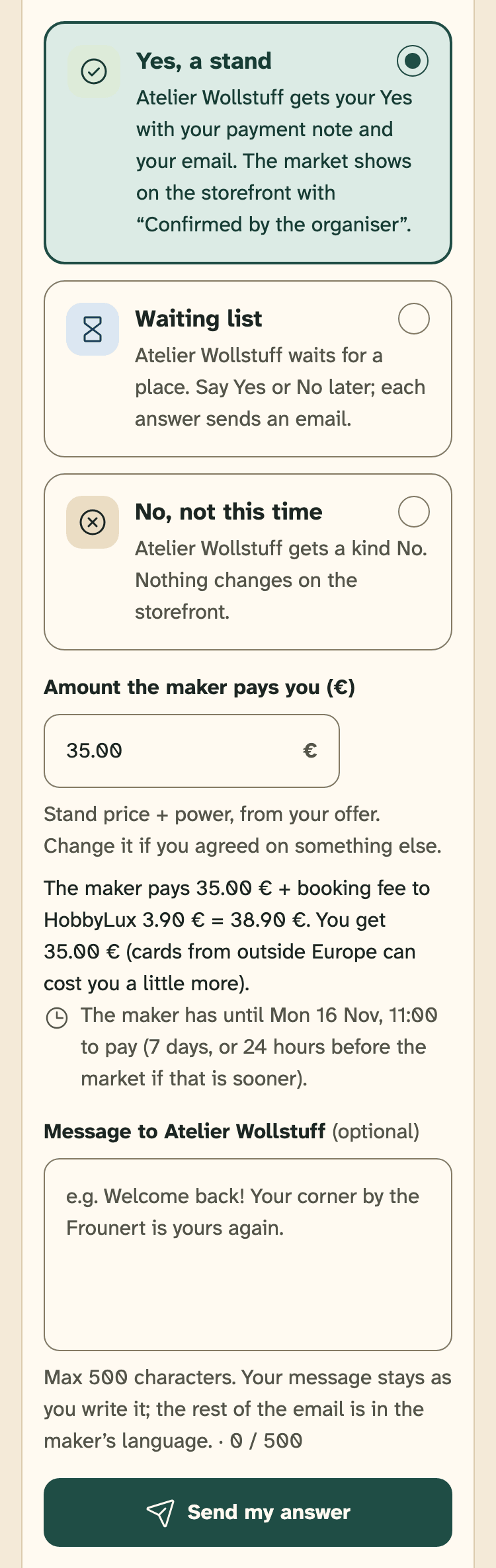
- Yes, a stand
- Amount the maker pays you (€)
- What the maker pays and what you get
- The deadline to pay
- Send my answer
Some Yes answers are paid on the day, also on an online market: offers with “Price on request”, a Stripe account that is not ready, or a market that is too close. The card says so under your Yes, and your payment note goes with it.
The deadline to pay
The maker has 7 days after your Yes to pay. If the market comes sooner, the deadline is 00:00 (Luxembourg time) on the day before the market starts. The request page shows the exact day and time.
If less than one hour would be left to pay, the Yes is paid on the day instead.
The reminder
Two days before the deadline, we send the maker one reminder email. When the deadline is less than 2 days after your Yes, there is no reminder.
When a maker has paid
The request shows “Paid”, and your inbox gets a note like “Atelier Wollstuff paid for the stand”. You get the stand price with your next weekly payout.
The market then shows on the maker’s storefront with “Confirmed by the organiser”.
What the payment status means
- To pay by …: the maker still has to pay, by the day shown.
- Checking payment: the maker has paid, and the payment is being confirmed.
- Paid: the money is in your Stripe account.
- Part refunded: you gave back part of the stand price.
- Refunded: everything went back to the maker.
- Not paid in time: the deadline passed, and the place went back.
- Payment paused: your Stripe payments are paused, so the deadline waits.
If a maker does not pay in time
When the deadline passes, the place goes back and the maker is on your waiting list. Your inbox gets a note like “Atelier Wollstuff did not pay in time”.
The maker stays on your waiting list, so you can still say Yes or No before the market starts.
When Stripe pauses your payments
If Stripe pauses payments on your account, makers cannot pay you online for a while. Your markets show your payment note instead. Stands already paid stay paid.
Makers who still have to pay get more time: their deadline waits until payments work again. Then they have at least 48 hours more, but never past the start of the market. If payments still do not work when the market starts, those makers pay you on the day.
In Account, “Get paid online” then says Payments stopped. Tap See why on Stripe, or Write to us.
Still stuck? Write to hello@hobbylux.app