

Add a stand offer
- Open My markets and tap your market.
- In “Stands & prices”, tap Add a stand offer.
- Fill in the sheet “New stand offer”.
- Tap Save the offer. It is on your market page now.
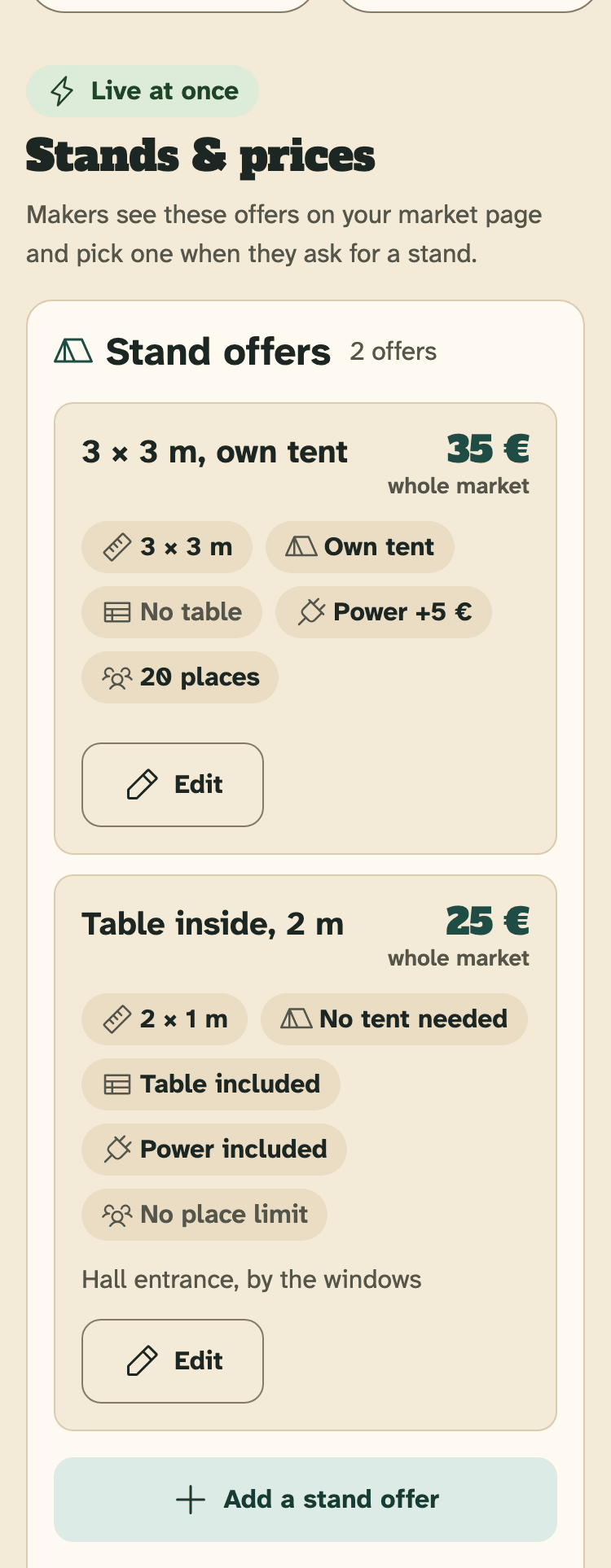
- An offer: name, price and facts
- Edit: change this offer
- Add a stand offer
One market can have up to 12 offers.
What to fill in
- Name of the offer: short and clear, like “3 × 3 m, own tent”. Max 40 characters.
- Stand size: Width (m) and Depth (m), from 0.5 to 20 m, like 3 or 2.5.
- Price: Fixed price or Price on request. A fixed price is for the whole market, all days together, from 0 to 5,000 €.
- Tent: Own tent, Tent provided or No tent needed.
- Table included?: Yes or No.
- Power?: Yes or No. With Yes, Extra for power (€) is what power costs on top. Type 0 if power is included in the price.
- Places (optional): how many stands of this kind you have. Empty = no limit.
- Short note (optional): shown on your market page. Max 200 characters.
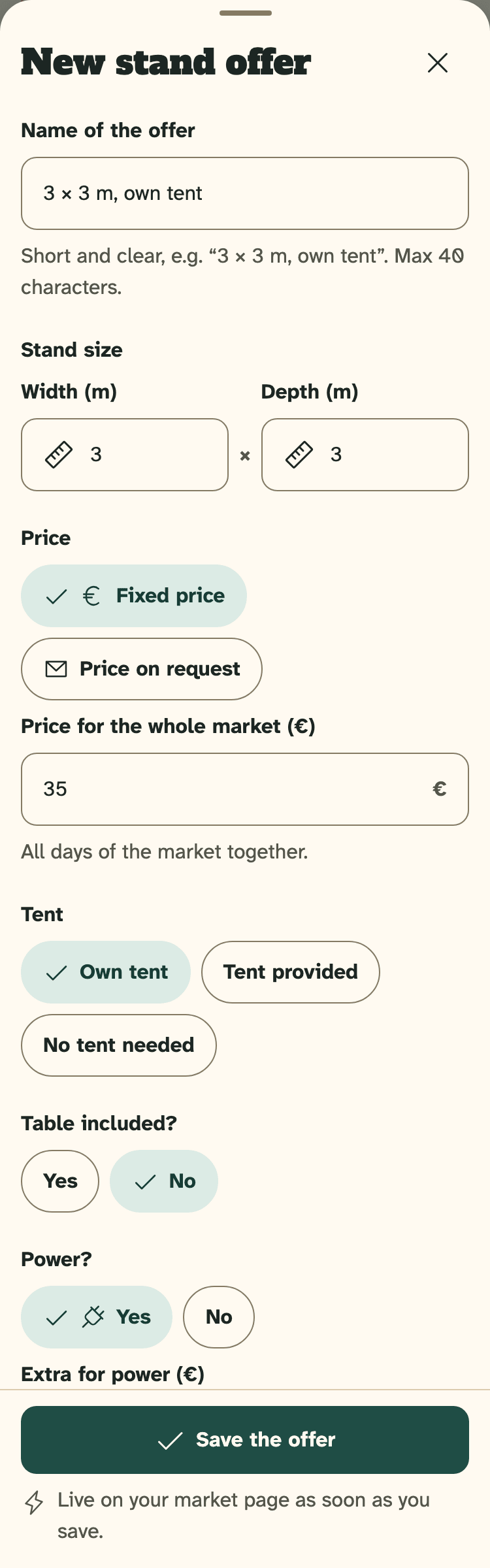
- Name of the offer
- Stand size
- Price: fixed, or on request
- Tent, table and power
- Save the offer
Price on request
Pick Price on request when the price depends on the stand. Makers see “Price on request” and can still ask for this stand.
Offers with “Price on request” are always paid on the day or outside HobbyLux, also on a market with online payment.
Places and the waiting list
Places are for you: the number is not shown on your market page. Each Yes you give takes one place.
When all places are taken, the offer shows “Full — waiting list”. New requests for it can only join your waiting list. Add places in Edit to open it again.
How the waiting list works: see Stand requests.
Change, sort or remove an offer
- Tap Edit on the offer, change what you need and tap Save the offer.
- In the sheet “Edit stand offer”, the arrows move the offer up or down. Makers see your offers in this order.
- Remove this offer takes the offer off your market page at once.
If an offer shows “Hidden by HobbyLux”, it is not on your market page. Change it, or write to hello@hobbylux.app.
What makers and visitors see
Your offers show as “Stands & prices” on your market page, in your order. Makers pick one of them when they ask for a stand.
Names and notes show as you write them; we do not translate them. Size, tent, table and power show in every language.
Next time your market is on
Next time this market is on, we copy your offers for you. Your payment note and your choice in “How makers pay” are copied too. You only change what is new.
Still stuck? Write to hello@hobbylux.app