

Where requests arrive
A new request comes by email and in your Inbox, under “To do”. The Inbox tab shows a number when something waits for you.
Each row says who asks and for which market. Tap Open the request.
No answer after 3 days? We send you one reminder by email, unless the market starts within a day, and the row shows “Reminder sent”.
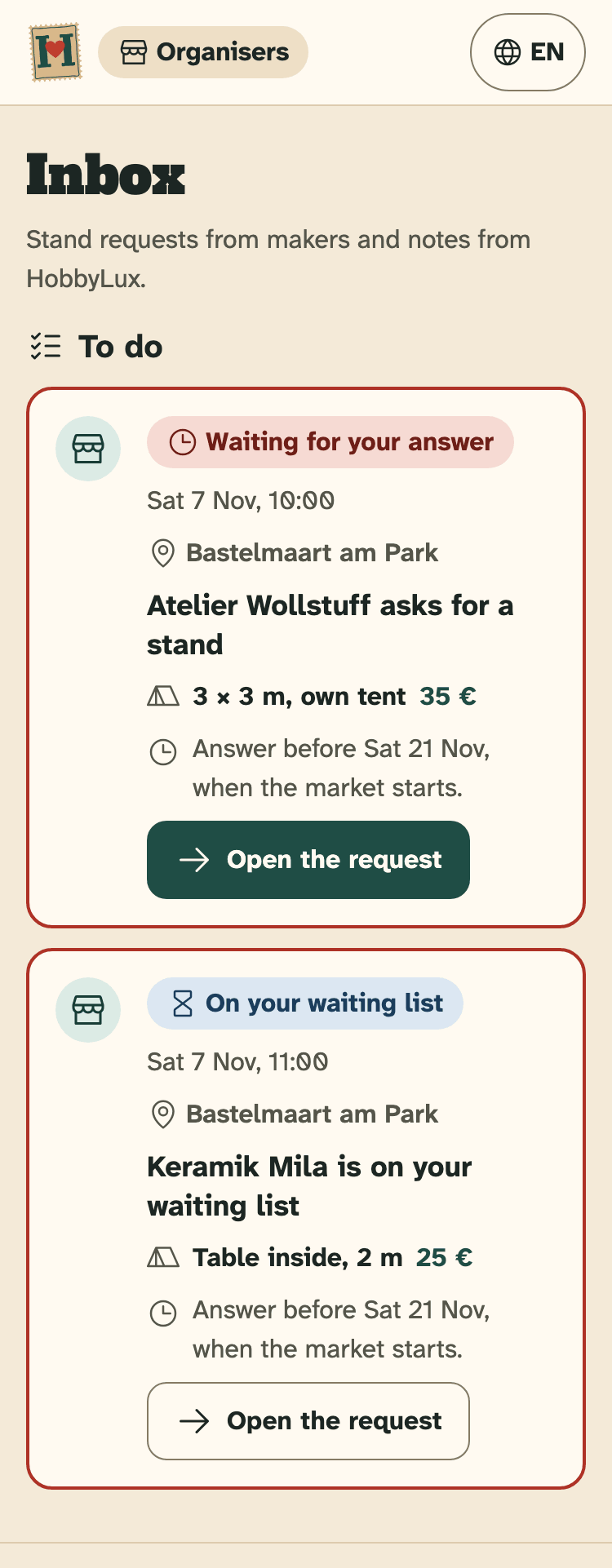
- “To do”: requests that wait for you
- The status of the request
- Open the request
What a request shows
- Who asks: the maker’s name and email, and See the storefront.
- Stand asked for: the offer as it was when the request was sent.
- The maker’s message, as written, not translated.
- Maker file: stand size, own tent and table, power, indoor or outdoor, what they sell, and more, as sent with the request.
The maker shared these details with you for this request. Use them only for this market. We keep the request until 12 months after the market, then delete it.
Answer Yes, No or Waiting list
- In “Your answer”, pick Yes, a stand, Waiting list or No, not this time.
- Add a message to the maker if you like. Max 500 characters.
- Tap Send my answer. The maker gets an email at once, from no-reply@hobbylux.app.
- Yes, a stand: on a market paid on the day, the email holds your payment note and your email address. On a market with online payment, the maker gets a link to pay.
- Waiting list: the maker waits for a place. Say Yes or No later; each answer sends an email.
- No, not this time: the maker gets a kind No. Nothing changes on the storefront.
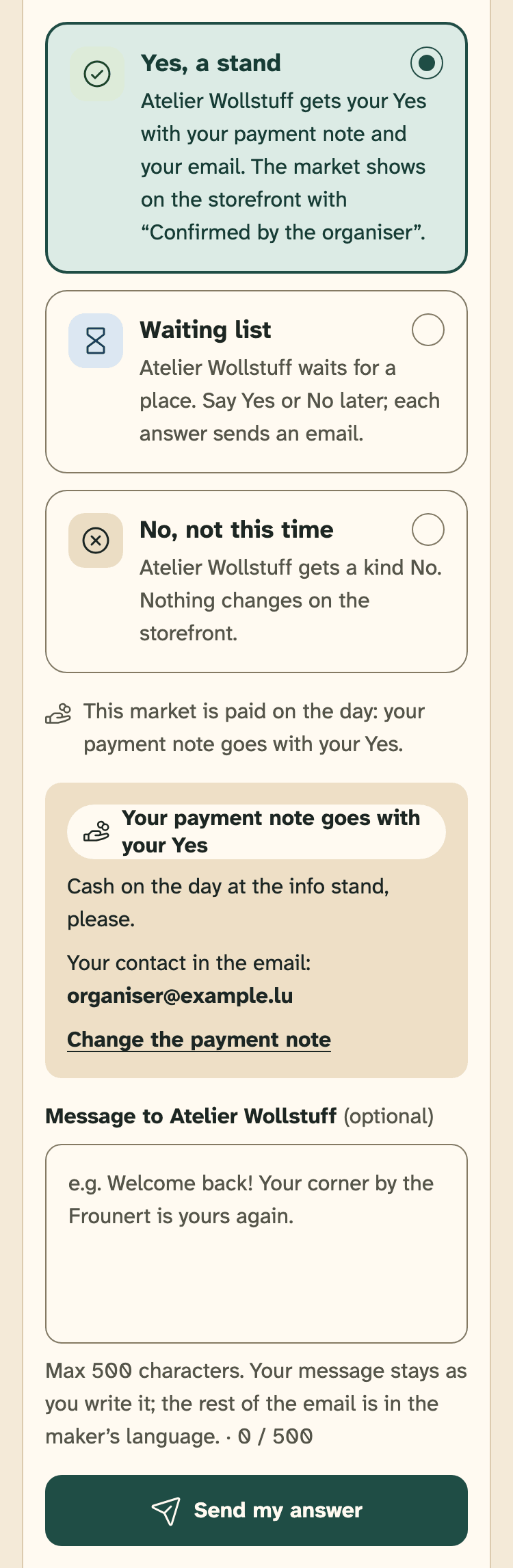
- Your three answers
- Your payment note goes with your Yes
- Your message to the maker (optional)
- Send my answer
A Yes takes one place of the offer. When all places are given, the offer is full.
The “Confirmed by the organiser” tick
After your Yes, the market shows on the maker’s storefront with “Confirmed by the organiser”. On a market with online payment, the tick comes once the maker has paid.
The waiting list
A request goes on your waiting list when you pick Waiting list, or when the stand was already full as the maker asked.
For a maker on your waiting list, the card says “Your answer now”. Say Yes or No when you know, before the market starts.
Take back your answer
- Open the request. In “What you sent”, tap Take back my answer.
- Tap Yes, take it back. Or tap Keep my answer to stop.
The maker gets an email, and the request is open again, so you can answer anew. Taking back a Yes also takes the market and the tick off the maker’s storefront.
If the maker already paid online, taking back the Yes refunds everything at once, booking fee included.
Answer before the market starts
Requests close at 00:00 (Luxembourg time) on the first day of the market. After that you cannot answer or take back an answer. Requests you had not answered yet show “Closed”.
A maker can also withdraw a request. It then shows “Withdrawn by the maker”, and there is nothing to answer.
Still stuck? Write to hello@hobbylux.app