

Before you ask
Stand requests open once your storefront is live: organisers look at it before they answer. See Publish your storefront.
Fill in your maker file first. Organisers need it before they give you a place.
Asking for a stand is free for every maker. What you pay for the stand itself depends on the market: see Pay for a stand.
Your maker file
Open Maker file in the menu. It has 11 questions: what you sell, if it is all handmade, how you sell, years at markets, stand size, own table, own tent, power, price range, indoor or outdoor, and a note to organisers. Fill in what you know, then press Save the maker file.
Your maker file is private. Only you, HobbyLux and the organisers of markets where you ask for a stand see it. Never visitors or other makers.
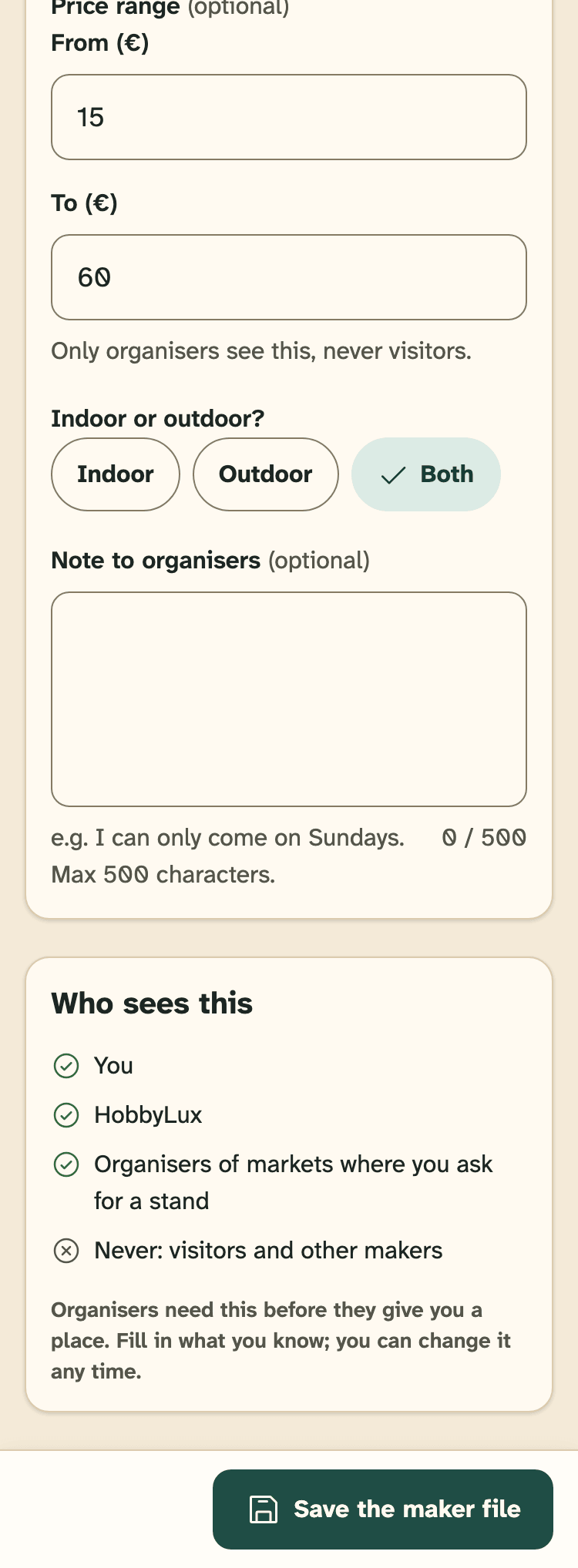
- The questions, for example your stand size.
- Who sees this: you, HobbyLux and organisers you ask.
- Save the maker file.
From a market page on hobbylux.app
Open the market on hobbylux.app. The card “Stands & prices” shows the stands the organiser offers, with size, tent, table, power and price.
Press Ask for a stand. Sign in with your email. After the code you go straight to the request for this market. New to HobbyLux? You build your storefront first.
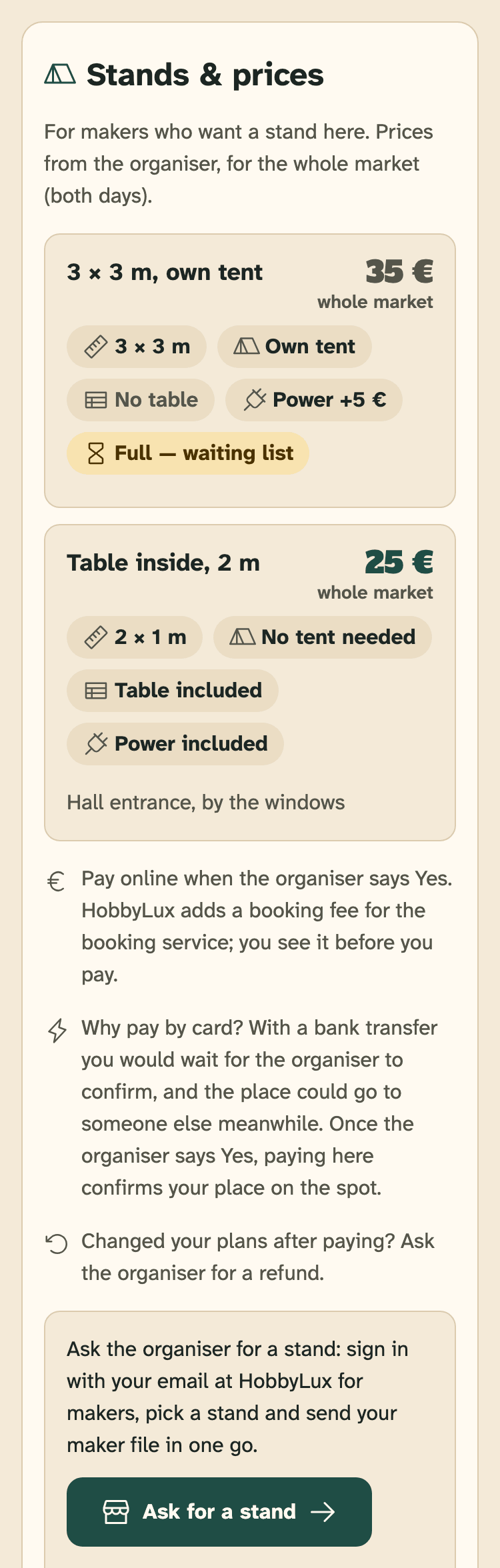
- The stands the organiser offers, with their price for the whole market.
- How you pay the stand at this market.
- Ask for a stand.
No stands listed? The card says “Want a stand here?”. You can still ask: we pass your request and maker file on to the organiser.
From your panel
- Open Stand requests in the menu.
- Press Ask for a stand at a market.
- Search the calendar: type the market or the town.
- Press Choose next to the market.
Markets where your request is still open, on the waiting list or has a Yes, and markets that have started, are not in the list.
Pick a stand and send
- Under 1 · Pick a stand, choose one of the stands.
- Under 2 · Your maker file goes with it, check your maker file. Something to change? Press Change my maker file first.
- Under 3 · Message to the organiser, write a few lines if you like. This is optional.
- Press Share and send my request.
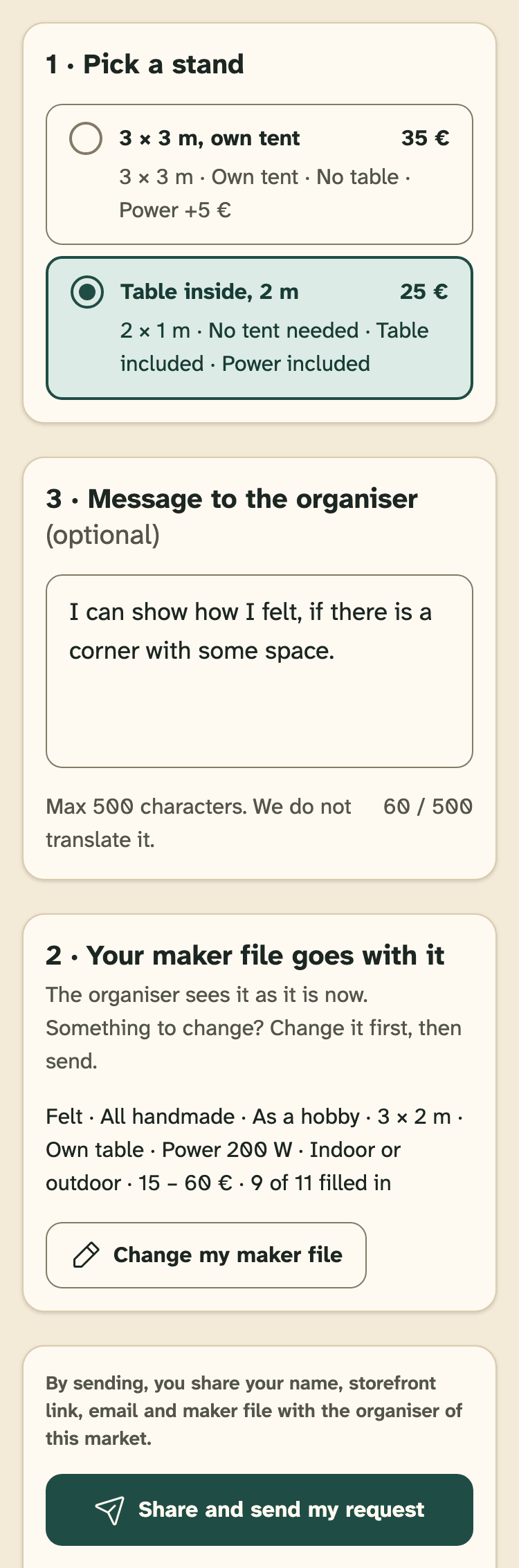
- Pick a stand.
- Your maker file, as the organiser will see it.
- Message to the organiser, up to 500 characters.
- Share and send my request.
By sending, you share your name, storefront link, email and maker file with the organiser of this market.
Then you see “Request sent”. You get an email with every answer. What happens next: Your request.
One open request per market. Requests close when the market starts.
When a stand is full
A full stand shows “Full — waiting list”. You can still pick it: the button then says Share and join the waiting list. If a place comes free, the organiser says Yes or No.
If the organiser is not on HobbyLux yet
Some organisers do not use HobbyLux yet. Your request still goes out: we email it to the contact on the official page of the market and invite them to answer here, or HobbyLux passes it on to them.
The ask page says so before you send.
Still stuck? Write to hello@hobbylux.app