

The house rules
HobbyLux is a friendly place for families and makers of every age. Before you build your storefront, you agree to the house rules:
No swear words or rude texts: not in your name, not in your texts, not in your product names.
No indecent or unsuitable photos: this counts for every photo, products, profile, cover, anything you upload.
Break a rule and we can suspend your account and your storefront, at once and without any further notice. To sort it out, write to us and tell us the name of your storefront.
Tick “I have read the house rules and I agree to them.” and press Next: basics. We save the date and the rules version.
The same rules are in the Terms for makers, section 8. Under Account you see when you accepted them, and which version.
What you need before you publish
Publish works when you have a stand name, what you make, your town, a profile photo and 1 product with a photo, and when you have accepted the house rules.
The last step, “Check and publish”, lists what is still missing. Each missing item links to the step where you add it.
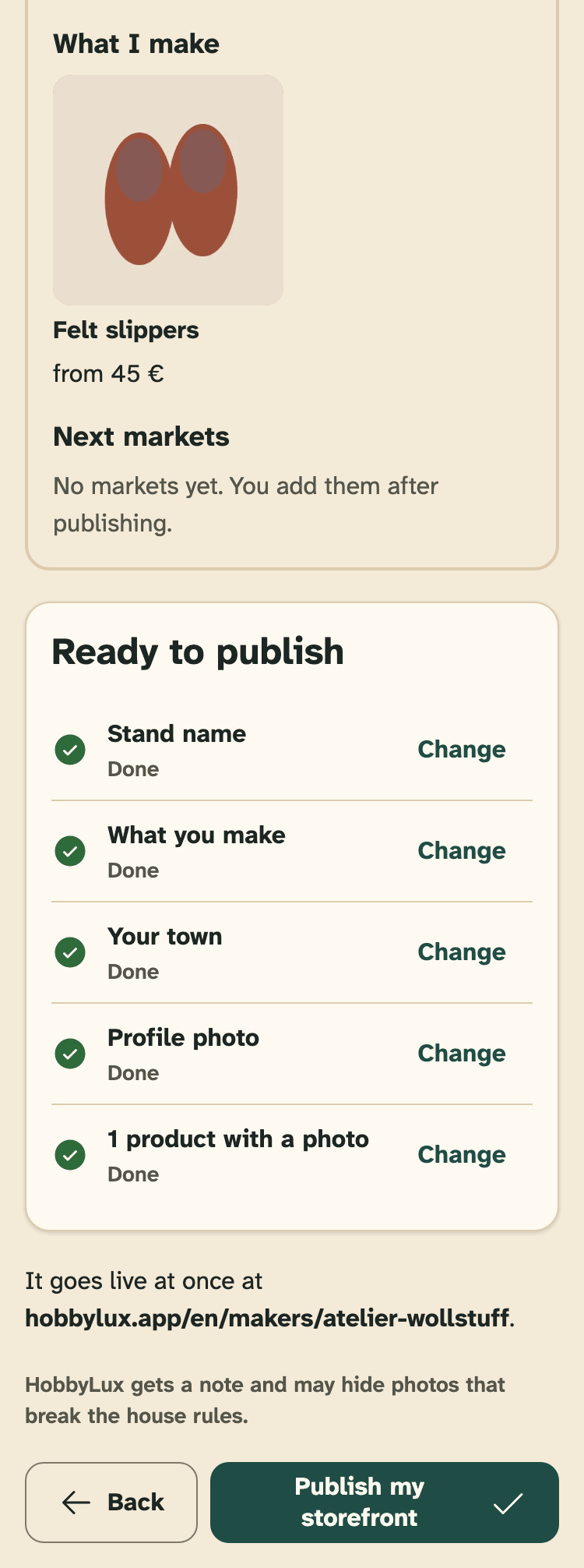
- The preview of your storefront.
- The list: done, or still missing.
- Your page address on hobbylux.app.
- Publish my storefront.
Publish
Press Publish my storefront. It goes live at once, with no check first. HobbyLux gets a note and may hide photos that break the house rules.
Then you see “You are live!”, with the link to your storefront. We also send you an email with the link. Press Go to my panel to go on.
A new storefront is “Not verified yet” at first: it works by its link, but it is not in lists yet. See Verified badge.
If you joined during an offer, the same page says so, and shows your Founder number if you got one. See Free plan and Founder offer.
Share your link
The overview shows “Your storefront link”. Press Copy link and share it on Instagram, Facebook or in a message, and print it on your stand card. Open my storefront shows your page as visitors see it.
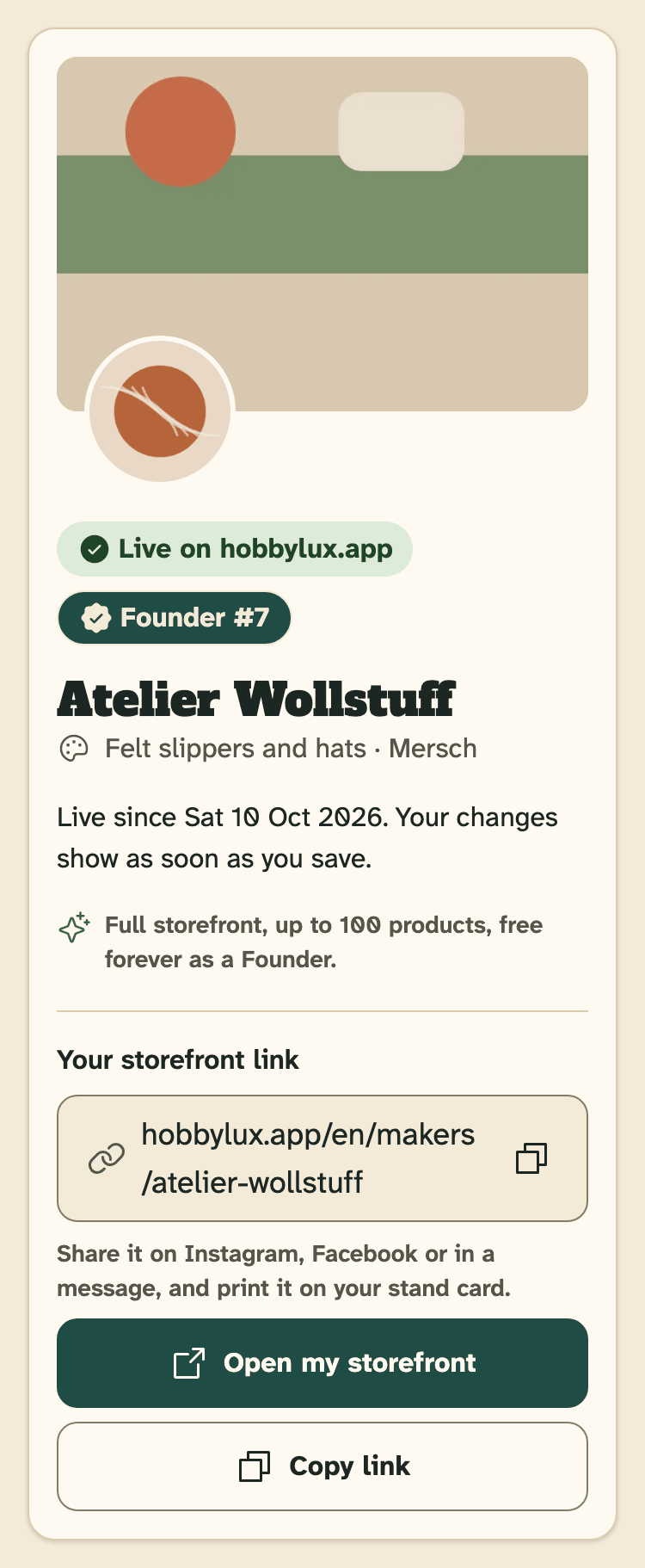
- Live on hobbylux.app, and since when.
- Your storefront link.
- Copy link.
Changes after you publish
You can change everything later. On a live storefront, changes show as soon as you save.
Next steps: add the markets where you have a stand, add more products, and fill in your maker file before you ask for a stand. See Say which markets you go to.
There is no button to take a live storefront off again. If you want it gone, you can delete your account. See Delete your account.
When the house rules change
If HobbyLux changes the house rules, you see them once more at your next sign-in. Press Agree and open my panel. Your storefront stays live meanwhile.
If your account is suspended
If a house rule is broken, HobbyLux can suspend your account. Your storefront is then off hobbylux.app, and your open stand requests are withdrawn. When you sign in, you see “Your account is suspended” and cannot edit.
To sort it out, write to hello@hobbylux.app and tell us the name of your storefront.
Still stuck? Write to hello@hobbylux.app