

Where you see your requests
Open Stand requests in the menu. “Open” lists requests that wait for an answer, are on the waiting list or got a Yes. “Answered” lists the No, closed and withdrawn ones.
Every request shows its market, the stand you picked, when you sent it and its state. Each state has its own icon and word.
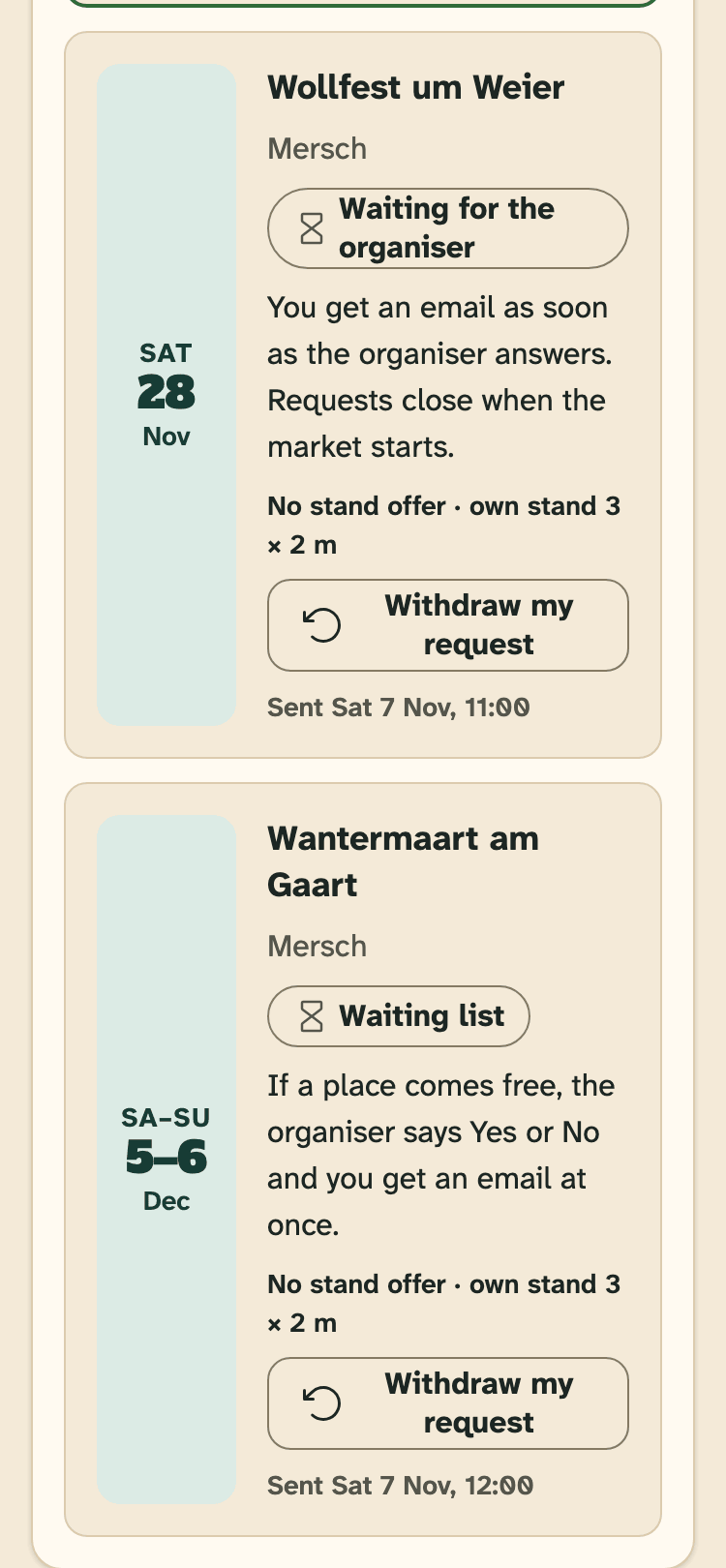
- The state of the request, for example Waiting list.
- What it means and what happens next.
- The stand you asked for.
- Withdraw my request, while it waits.
Waiting for the organiser
The organiser has your request. You get an email as soon as they answer.
Requests close when the market starts. If the organiser is not on HobbyLux yet, we pass your request on to them.
Waiting list
The organiser has no place for you right now, or you asked for a stand that was full. If a place comes free, the organiser says Yes or No, and you get an email at once.
Yes
The organiser said Yes. You may also see a message from the organiser and their contact email.
On a market where you pay on the day, the market is now on your storefront with “Confirmed by the organiser”. You pay the organiser as they describe under How to pay.
On a market that takes payment online, you pay first. Once you have paid, the market goes on your storefront with “Confirmed by the organiser”.
A Yes from an organiser also verifies your storefront, if it was not verified yet. See Verified badge.
The deadline after a Yes
On a market that takes payment online, a Yes comes with a deadline. You see it on the payment chip, “To pay by …”, and in the box “Pay by … or the place goes back.”
The deadline is 7 days after the Yes, or 00:00 (Luxembourg time) on the day before the market starts, if that is sooner. Two days before, we remind you. When the deadline is less than 2 days after the Yes, there is no reminder.
Not paid in time? The place goes back and you are on the waiting list again. Nothing was charged. More in Pay for a stand.
No
The organiser cannot give you a stand this time. Nothing changes on your storefront.
Closed
A request closes when the market started before the organiser answered, when the market was cancelled or moved, or when we could not reach the organiser. The request shows which one it was.
Withdraw a request
While a request waits for an answer or is on the waiting list, you can take it back before the market starts.
- Press Withdraw my request.
- Press Yes, withdraw. Changed your mind? Press Keep it.
The organiser no longer sees it. After a Yes you cannot withdraw: see Cancel a stand.
Still stuck? Write to hello@hobbylux.app